How to Turn Any Photo into a Masterpiece Watercolor Painting with AI
Why AI style filters produce mud and structure-aware rendering does not — plus the three-step workflow and prompt recipes for watercolor, oil, sketch and 3D render.
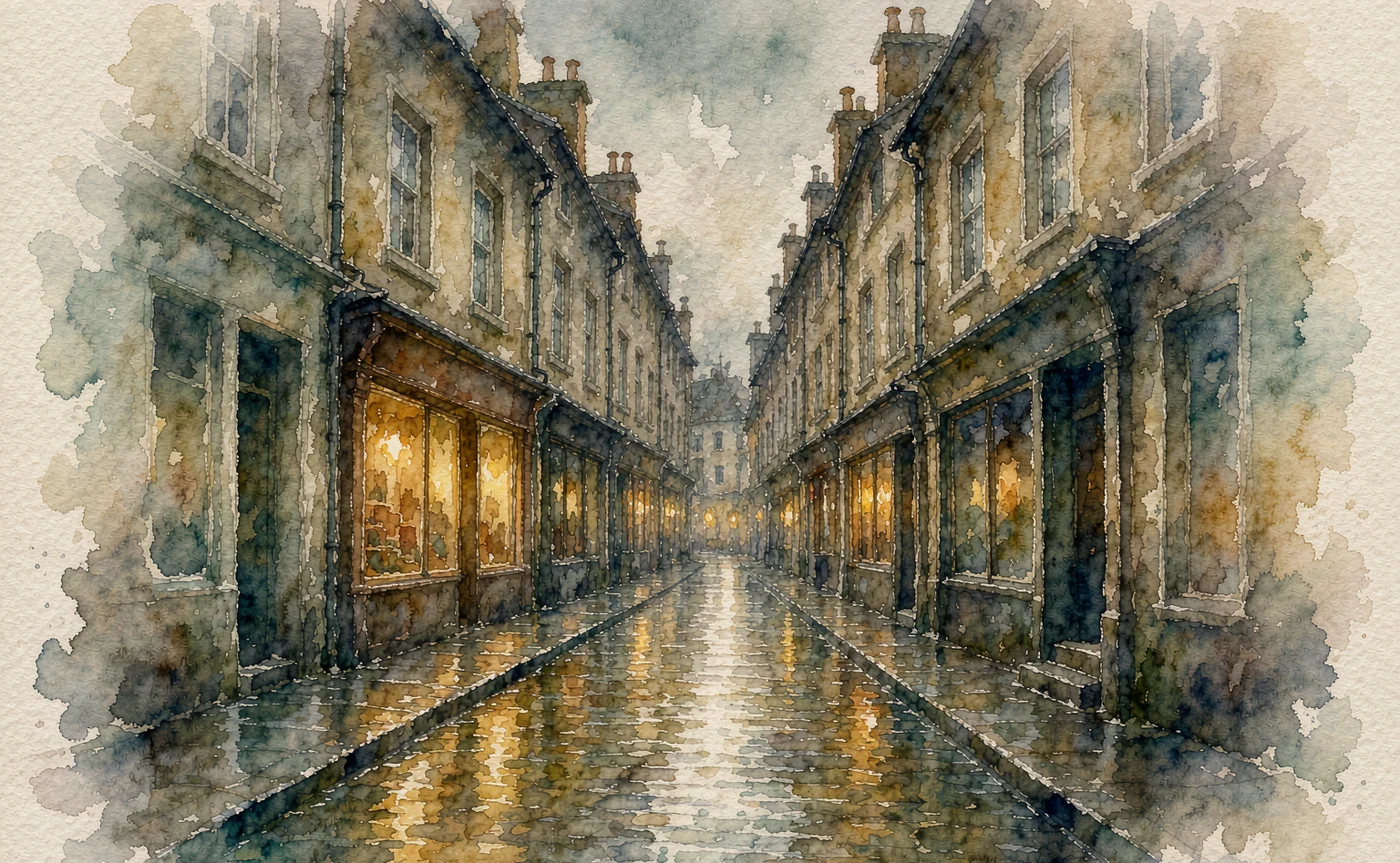
A photo-to-painting filter changes colour. It does not change how the image is built, which is why filtered photos still look like photos with a wash over them — every leaf, brick and strand of hair is still there, evenly detailed, evenly lit.
Real watercolour does the opposite. It groups detail, lets edges bleed, and reserves white paper for the brightest areas. Getting that from a photograph means rebuilding the image under a painter's rules while keeping the composition you started with.
The rise of AI photo-to-painting style transfer
Style transfer used to mean a neural network trained to repaint one image in the texture of another — Van Gogh's brushwork applied to a holiday snap. The results were impressive for a demo and unusable for anything else, because the texture was applied globally, like a decal.
Diffusion models changed the economics. Instead of transferring a texture, you describe a medium and let the model reconstruct the scene as if it were made that way. The photograph supplies composition; the prompt supplies the physics of the paint.
That is the difference between a filter and a repaint, and it is why the output can look like a painting rather than a photo wearing one.
Why structure preservation beats standard filters
There are two families of approach, and only one of them respects your composition.
Filter-style (global transform). A LUT or neural style pass alters colour and texture across the whole frame. Detail density stays the same, so the result reads as "photo with an effect". Edges remain photographic — hard, thin, continuous.
Structure-aware (ControlNet or reference conditioning). The system keeps the geometry of the original — where the buildings are, where the horizon sits, where the subject's jaw falls — and then renders new content inside that geometry. ControlNet's Canny mode extracts an edge map and forces the model to follow it, which is why Canny is described as the most faithful of the ControlNet preprocessors: outlines are preserved almost exactly while everything inside them is re-imagined.
You do not always need the technical version. What you need is the principle: lock the composition from the photo, then let the prompt repaint the surface. When the composition is locked, a watercolour prompt can be as loose as watercolour should be without the subject dissolving.
Three steps to turn a photo into watercolour or oil
Step 1 — Choose a photo with a readable structure
Not every photo paints well. The ones that do share three traits:
- A clear light source. Watercolour is built from light. A flat, overcast photo gives the model nothing to reserve white paper for.
- Distinct foreground, middle ground, background. Painters compress these into three values; a photo with no depth reads as a flat pattern.
- A subject with a strong shape. A person's silhouette, a single tree, a boat hull. Busy crowds become confetti.
Skip photos with heavy digital noise, extreme HDR, or a subject that occupies 10% of the frame. You will spend your render budget fighting the source.
Step 2 — Upload it as a reference, not as a starting canvas
Open image to image and add the photo as the reference. This is the step that preserves composition — the model conditions on your photo's structure rather than inventing a scene from words.
If you are blending two references (say, a photo and a watercolour whose palette you like), keep the photo as the structural reference and describe the palette in words instead of uploading a second image. Two image references fight for control of the same slots.
Step 3 — Describe the medium, not the subject
This is the part people get backwards. Once the photo is loaded, the model already knows what is in the frame. The prompt should describe paint, not content.
A watercolour recipe that works:
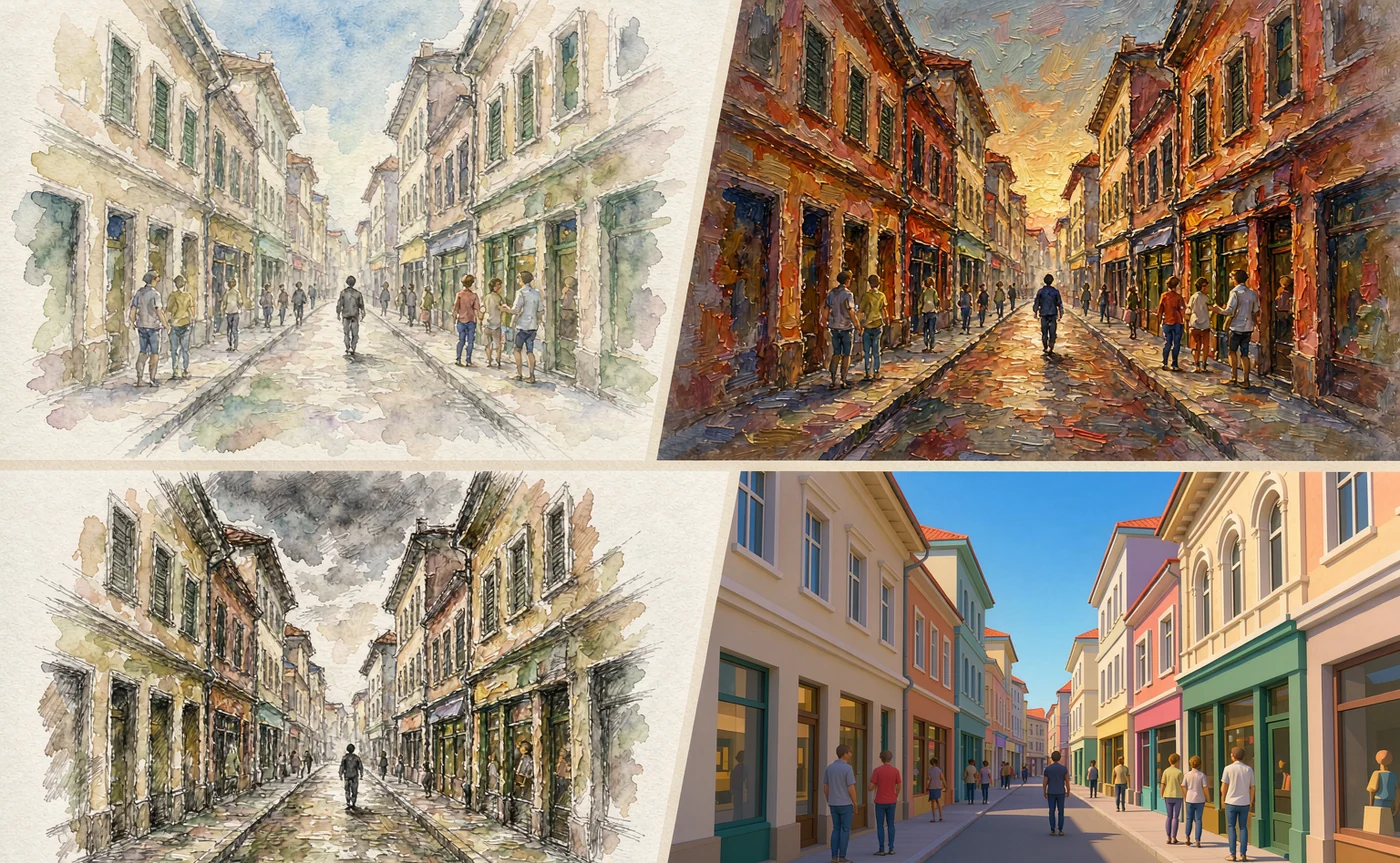
"watercolour painting, loose wet-on-wet washes, visible paper grain, reserved white for highlights, soft bleeding edges, limited palette, no hard outlines"
An oil recipe:
"oil painting on canvas, thick impasto in the highlights, visible brush direction, warm varnish, chiaroscuro lighting, gallery photograph of the canvas"
Note what both avoid: naming the subject. "A watercolour of a woman at a market" tells the model to invent a woman at a market. References already handled that.
💡 Want to try this yourself?
Upload a photo and paste the watercolour recipe above. Three images a day are free and no account is required.
Turn a photo into a painting →Style presets worth saving
Save these as text snippets. Small wording differences change the medium more than any adjective about mood.
Watercolour
"loose wet-on-wet watercolour, paper texture visible, pigment granulation, reserved whites, soft edge bleeding, minimal detail, transparent layers"
Add "architectural watercolour" for buildings, "botanical illustration watercolour" for plants, "loose urban sketch watercolour" for streets. Each nudges the level of detail in a useful direction.
Oil painting
"oil on canvas, impasto highlights, directional brushwork, deep glazing in shadows, warm varnish, classical realist palette"
For a heavier, more modern look, swap in "palette knife, thick impasto, alla prima". For an old-master feel, "oil sketch, earth pigments, dark ground".
Pencil or graphite sketch
"graphite drawing, cross-hatching in the shadows, visible tooth of the paper, unfinished edges, monochrome"
This is the preset most likely to fail, because models love to add colour back in. Add "strictly monochrome, no colour" and expect to iterate once.
3D render
"stylised 3D render, subsurface scattering on skin, soft global illumination, matte clay materials, isometric-friendly composition"
Useful for turning a photo into a game-style asset or a toy-like illustration. Keep "matte" in the prompt — the default drifts glossy and plastic.
Common failures and their fixes
| Symptom | Cause | Fix |
|---|---|---|
| Muddy colour | Too many hues, no value structure | Limit the palette in words ("three-colour palette"), and pick a photo with one strong light source |
| Looks like a photo with a filter | Prompt describes the subject instead of the medium | Remove content words; describe paint behaviour only |
| Subject loses likeness | Face too small in the source | Crop closer before uploading, or render at higher resolution |
| Watercolour too detailed | Missing "minimal detail" / "reserved whites" | Add those phrases; watercolour reads as watercolour through omission |
| Edges glow or halo | Reference has heavy sharpening or HDR | Use a softer source file; sharpening artefacts get painted over literally |
| Everything is uniformly dark | Prompt omitted a light direction | State where the light comes from and what it hits |
Where photo-to-painting actually earns its keep
Beyond gifts and profile pictures, three uses justify the workflow:
- Book and album covers where a photographic reference would look stock but a painting looks commissioned.
- Storyboards and mood boards that need a consistent painterly style across many frames — the same preset applied to a set of photos reads as one art direction.
- Merch and print where the painterly surface hides the limitations of upscaling a phone photo.
One caution on the third: watercolour printed at scale reveals texture that looks convincing on screen but flat on paper. Render at 4K if the output is going to be printed, and check the result at 100% before you send it anywhere.
FAQ
Can AI turn a photo into a watercolour painting for free? Yes, within a daily free allowance. AIGenerate gives anonymous visitors three images a day with no account, which is enough to test a photo against two or three presets.
Will the painting still look like the person in the photo? At portrait framing, yes. Watercolour deliberately simplifies facial detail, so a likeness holds best when the face occupies a large part of the frame. Full-body shots lose resemblance quickly — that is the medium, not the model.
Do I need ControlNet for this? Not if your tool preserves structure through reference conditioning. ControlNet is the explicit, node-level way to lock an edge map; a good image-to-image workflow achieves the same result with fewer knobs.
What is the best photo to start with? One subject, one clear light source, distinct foreground and background, and no heavy editing. A phone photo in soft daylight usually beats a heavily processed HDR shot.
Can I keep the same painting style across a series? Yes — treat the preset text as a fixed asset. Same words, same order, every image. Change only the uploaded photo.
Is the output printable? At 2K it is fine for small prints; for anything larger, render at 4K and inspect the paper texture at full size before printing.
Paint the photo, keep the bones
Style transfer works when the composition is locked and the prompt talks about paint. It fails when the prompt tries to describe the scene the model can already see.
Pick a photo with one light source, load it in image to image, and describe the medium in the language of a painter rather than a photographer. If you want the same principle applied to line art instead of photographs, the sketch to AI art tutorial covers edge preservation in more depth.
Keep reading
Oct 28, 2026
How to Keep Character Consistency in FLUX.1: The Complete Guide
Faces drift because a seed is not an identity. Every method that actually locks a face in FLUX — PuLID, InstantID, FaceID, LoRA — and the reference workflow that needs no node graph.
Read guide
Oct 23, 2026
From Pencil Sketch to High-Res AI Art: A Beginner's Tutorial
AI can finish a rough sketch — if the lines are readable. How Canny and lineart conditioning work, how to prep a scan, and the prompt hacks that stop colour from ignoring your drawing.
Read guide
Oct 21, 2026
AI Image to Image Blending: How to Mix Two Styles Without Making Mud
Blending two images is not averaging them. How reference conditioning merges structure and style, four rules that prevent muddy results, and a step-by-step dual-image workflow.
Read guide