How to Keep Character Consistency in FLUX.1: The Complete Guide
Faces drift because a seed is not an identity. Every method that actually locks a face in FLUX — PuLID, InstantID, FaceID, LoRA — and the reference workflow that needs no node graph.
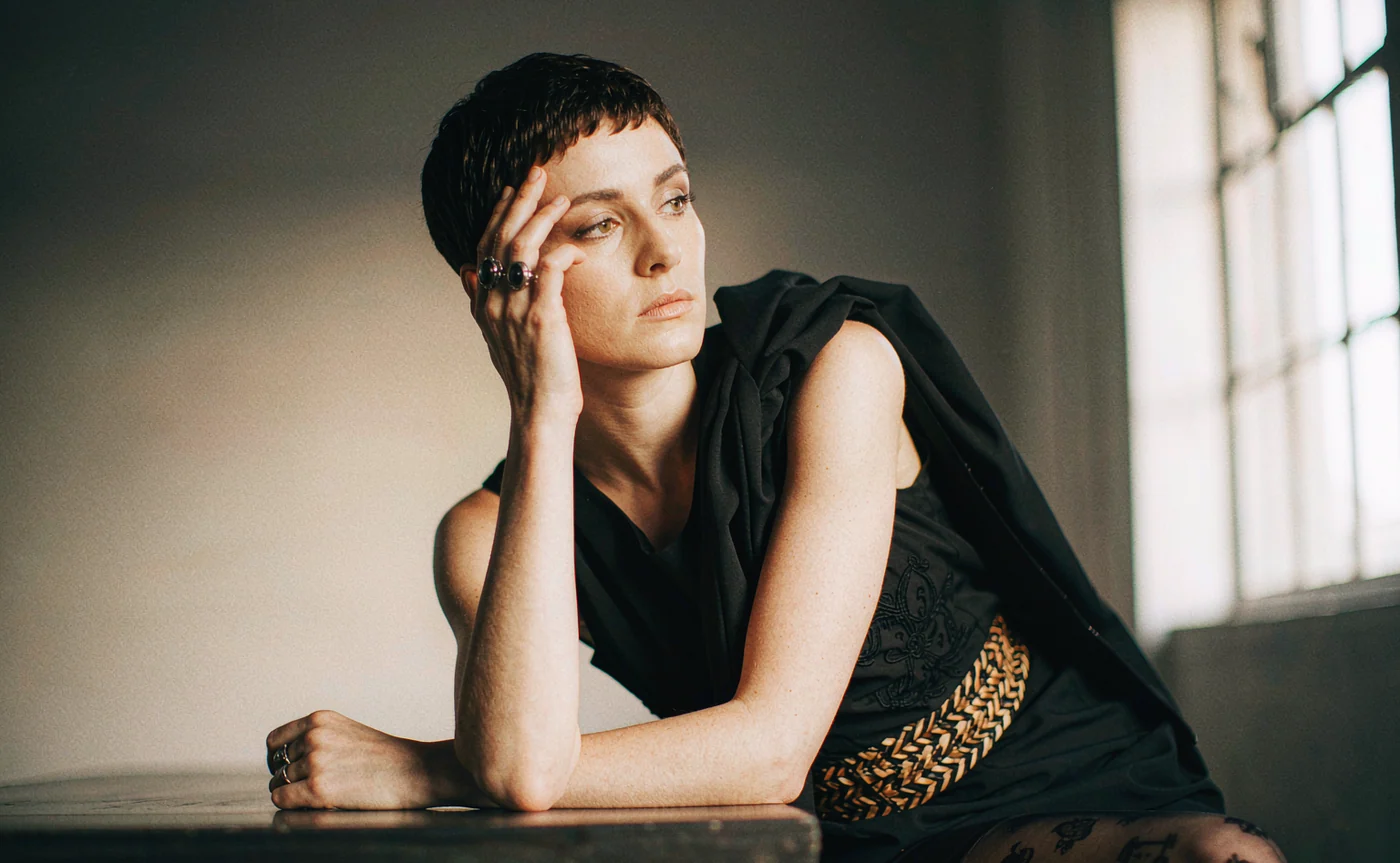
A seed number does not lock a face. It locks a noise pattern. Change the prompt from "in a leather jacket" to "in a raincoat" and the model re-solves the identity from scratch, because nothing in a seed tells it that these two images are supposed to be the same person.
That is the whole problem in one sentence, and it explains why so many people generate a character they love, then fail to reproduce it an hour later. Character consistency in FLUX-family models is solved by adding an identity signal that survives prompt changes. There are four established ways to do that, one managed workflow that avoids most of the setup, and a handful of prompt habits that decide whether the result drifts or holds.
Why faces drift in FLUX, SDXL and every other diffusion model
Text-to-image models are trained to produce a plausible person for a description, not a specific person. "A woman with short red hair" describes a category. The model samples one member of that category and moves on. Ask again with a different scene and it samples another member, because the description never narrowed to an individual.
Three specific mechanisms cause the drift you see:
- Prompt-conditioned sampling. Every token competes for influence. Re-describing hair, eyes and jawline on each run re-rolls those features instead of preserving them.
- Resolution-dependent detail. Identity lives in high-frequency facial detail. Generate a full-body shot at 1K and the face occupies too few pixels for a strong likeness to form, so the next close-up looks like a relative rather than the same person.
- Style leakage from references. When a reference drags its colour palette or lighting into the output, the model has less capacity left for the identity signal. This is why some methods keep the face but lose the art direction.
Fix the identity channel and the rest becomes manageable.

The four techniques that actually lock a face
These are the four options in 2026, ranked by how tightly they hold identity and how much setup they demand.
IP-Adapter FaceID — the five-minute option
IP-Adapter FaceID extracts a face embedding with InsightFace and injects it through cross-attention. It is the oldest and most widely supported of the four, works on SDXL and FLUX (different weight files per architecture), and accepts multiple reference images.
Typical strengths: 0.8–1.0 for identity-only, around 0.6 when you want identity plus a style LoRA, 0.3 for a light nudge. It averages across references, which is why it outperforms single-reference methods when you have five or more photos of the same person.
The weakness is exactly that averaging: a mixed set — some studio light, some daylight — produces a face that belongs to nobody in particular.
InstantID — pose-coupled identity, SDXL only
InstantID pairs an identity encoder with a facial-landmark ControlNet, so pose and identity come from the same reference. It is genuinely elegant on SDXL.
It is also the heaviest dependency chain on this list: the antelopev2 InsightFace pack, the main InstantID model, and a separate InstantID ControlNet, all locked to SDXL. On FLUX the support is newer and less reliable, which is why most FLUX users skip it.
If you need the head at a specific angle taken straight from a photo, InstantID is the direct route. Otherwise it is extra failure surface.
PuLID — the FLUX-native answer
PuLID (Pure and Lightning ID) came out of ByteDance in 2024 and was built for DiT-architecture models rather than retrofitted onto UNet. That is why it became the default identity tool in FLUX pipelines.
Two properties matter. First, it is tuning-free: no training, one to four reference images, results in minutes. Second, it leaks very little style — the palette, lighting and composition of your reference stay out of the output, so identity goes in cleanly and your prompt still controls the look.
Canonical starting parameters are a weight around 0.8, injection starting at step 0 and ending around 0.8, paired with guidance around 3.5. Reported face similarity in community testing sits in the high 80s out of 100 for PuLID versus low 70s for InstantID on FLUX, with trained LoRAs above both — treat those numbers as directional, since they come from individual test runs rather than a controlled benchmark.
Its limits are worth stating: it locks the face, not the body. And a soft, low-resolution reference produces a soft identity, no matter the weight.
Face LoRA — the nuclear option
A face LoRA fine-tunes the model on 15–30 images of one person, then the identity lives in the weights. It is the most accurate and the most consistent across styles, and it locks body and wardrobe in a way reference methods cannot.
It also costs a training run (tens of minutes on a rented GPU, or a few dollars), needs a clean dataset with varied angles and expressions, and has to be retrained when the character's look changes materially. For a one-off image it is absurd. For a 200-frame comic it is the only thing that holds.
Reference methods vs a managed tool: what actually changes
The table above describes local pipelines — ComfyUI graphs where you wire loaders, evaluators and apply nodes yourself. That route gives maximum control and demands maximum maintenance: architecture-matched weights, InsightFace dependencies, VRAM ceilings, and graphs that break when a custom node updates.
A managed service replaces the graph with a reference upload. Under the hood the mechanism is the same family: identity enters the generation as image conditioning rather than as text. On AIGenerate you upload up to 14 references and the Identity tier renders up to 4K from them, with no PuLID or LoRA stack to install.
What you give up is knob-level control: no per-step injection weights, no stacking a ControlNet on top. What you get back is the hour you would have spent debugging a node graph, and a result in seconds rather than minutes on a rented GPU.
Three angles beat ten near-duplicates: the front view establishes proportion, the three-quarter view carries the nose and jaw, and the profile pins the silhouette. That trio is what makes the next render recognisable.
Step-by-step: locking a face without a node graph
Step 1 — Upload a base portrait set, not a single photo
Open the character portrait generator and add three to six images of the same person: a straight-on portrait, a three-quarter view, and a profile. Add one full-body shot only if the body needs to stay consistent too.
Consistency across the set matters more than absolute quality. If half the references are warm indoor light and half are cold daylight, the model has to guess which skin tone is true and drifts toward a flat midpoint. Photographs taken under similar light produce the most stable character.
For a drawn character, supply several views of the same design rather than several art styles of the same view.
Step 2 — Describe the new scene, never the face again
This is where most people undo their own references. "A woman with silver hair and green eyes standing in a market" tells the model to invent those features, and that instruction competes with the images you just uploaded.
Write the situation instead: "in a crowded spice market at noon, dust in the air, handheld documentary framing, 35mm". The references carry the identity; the prompt carries the scene.
Mention a facial feature only when you want to change it — "hair now braided", "a fresh scar across the left eyebrow" — so the model treats it as an edit rather than a description.
Step 3 — Render, then iterate on one variable at a time
Render at the highest tier you can justify for the final use: 2K for screen, 4K for anything that will be cropped into the face or printed. Then change exactly one thing per iteration — outfit, or lighting, or framing — never all three.
Every variable you leave alone is a variable that cannot drift. Once a character works, freeze the reference set, the style chips and the tier, and treat the prompt as the only moving part.
💡 Want to try this yourself?
Drop in three photos of one character, describe a new scene, and compare the faces side by side. Three images a day are free and no account is needed.
Lock a face in the character generator →Prompt patterns that protect a locked identity
Once identity comes from references, the prompt's job changes. It should specify the world, the lens and the grade — three levers the references cannot supply.
Scene and time: "torchlit stone corridor, rain outside the arrow slits, late evening" beats "medieval setting". Specific light sources give the model something physical to render.
Lens and distance: "85mm portrait, shallow depth of field" keeps the head large — which preserves facial detail. "Wide environmental shot" shrinks the face and predictably softens identity; use it only when the body is the point.
Medium and grade: "35mm film look", "cel-shaded", "clay render", "oil on canvas". Medium words hold the surface treatment steady across renders, so the character does not slide between photoreal and illustration mid-project.
Change markers: "now in a navy suit", "hair tied back", "ten years older". Edits framed this way are read as modifications; the same words framed as description are read as a new character.
Three example prompts that work with a fixed reference set:
- the same character, tailored navy suit, glass office at dusk, city lights behind, 85mm
- the same character as a ship captain, salt spray, overcast deck, wool coat, 35mm film
- the same character laughing, candid, kitchen in the morning, flour on hands
The third one is the honest test case: expression changes reshape the eyes and mouth, so identity softens even with good references. Expect it, and shoot the neutral expression first if the likeness has to be exact.
Common failure modes, and what each one means
| Symptom | Likely cause | Fix |
|---|---|---|
| Face looks like a sibling, not the same person | References too small or too soft | Upload 1024px+ crops, well lit, face fills the frame |
| Identity holds, outfit keeps resetting | Outfit only described in words | Include one reference wearing the target outfit, or repeat the garment details verbatim each run |
| Result looks like the reference photo, not the new scene | Too many near-duplicate references; prompt too vague about the scene | Add angle variety to the set; write a more specific scene |
| Style flips between renders | No medium words in the prompt | Pin the medium ("photoreal", "cel-shaded") every time |
| Body proportions drift while the face holds | Reference set is headshots only | Add one full-body reference |
FAQ
Does FLUX.1 have a built-in face lock? No. FLUX is a base model; identity has to be supplied by an adapter (PuLID, IP-Adapter FaceID), a ControlNet, a fine-tune, or a managed tool that wraps reference conditioning.
Is PuLID better than IP-Adapter FaceID on FLUX? For tight face locking, generally yes — PuLID was designed for FLUX's architecture and leaks less style. IP-Adapter FaceID earns its place when you have five or more references and want averaging, or when you are working on SDXL.
How many reference photos do I need? Three to six for a stable character. A front view, a three-quarter view and a profile do most of the work. Beyond about eight, extra images mostly add noise unless they show genuinely new angles.
Why does the face change when I ask for a different expression? Expressions are geometry. A laugh or a scowl moves the eyes, cheeks and mouth, and the model has to reinterpret that geometry. Identity holds best on neutral and near-neutral expressions.
Can I keep the same character across a whole comic? Reference-based methods carry a series for dozens of images. Beyond that — or when body and wardrobe also have to stay fixed — a trained face LoRA is the more reliable route, at the cost of a training run.
What resolution should I generate at? At least 2K for anything where the face is readable. Generate full-body shots at high resolution too, because the face will be cropped out of them later and needs the pixels to survive.
Summary
Character consistency in FLUX comes down to one decision: does identity enter the generation as an image, or as words? Words re-roll the face every time. Images hold it.
Local pipelines give you PuLID, InstantID, IP-Adapter FaceID and LoRA training, with all the control and maintenance that implies. A reference-driven tool gives you the same core idea — identity from images — with the graph already wired. Whichever path you take, the workflow rules are identical: build a small consistent reference set, describe the scene instead of the face, and change one variable per iteration.
Test it with three photos on the AI Character Portrait Generator. If the second render still looks like the same person, you have a workflow. If it does not, start with the reference set, not the prompt.
Keep reading
Oct 24, 2026
How to Turn Any Photo into a Masterpiece Watercolor Painting with AI
Why AI style filters produce mud and structure-aware rendering does not — plus the three-step workflow and prompt recipes for watercolor, oil, sketch and 3D render.
Read guide
Oct 23, 2026
From Pencil Sketch to High-Res AI Art: A Beginner's Tutorial
AI can finish a rough sketch — if the lines are readable. How Canny and lineart conditioning work, how to prep a scan, and the prompt hacks that stop colour from ignoring your drawing.
Read guide
Oct 21, 2026
AI Image to Image Blending: How to Mix Two Styles Without Making Mud
Blending two images is not averaging them. How reference conditioning merges structure and style, four rules that prevent muddy results, and a step-by-step dual-image workflow.
Read guide