AI Image to Image Blending: How to Mix Two Styles Without Making Mud
Blending two images is not averaging them. How reference conditioning merges structure and style, four rules that prevent muddy results, and a step-by-step dual-image workflow.
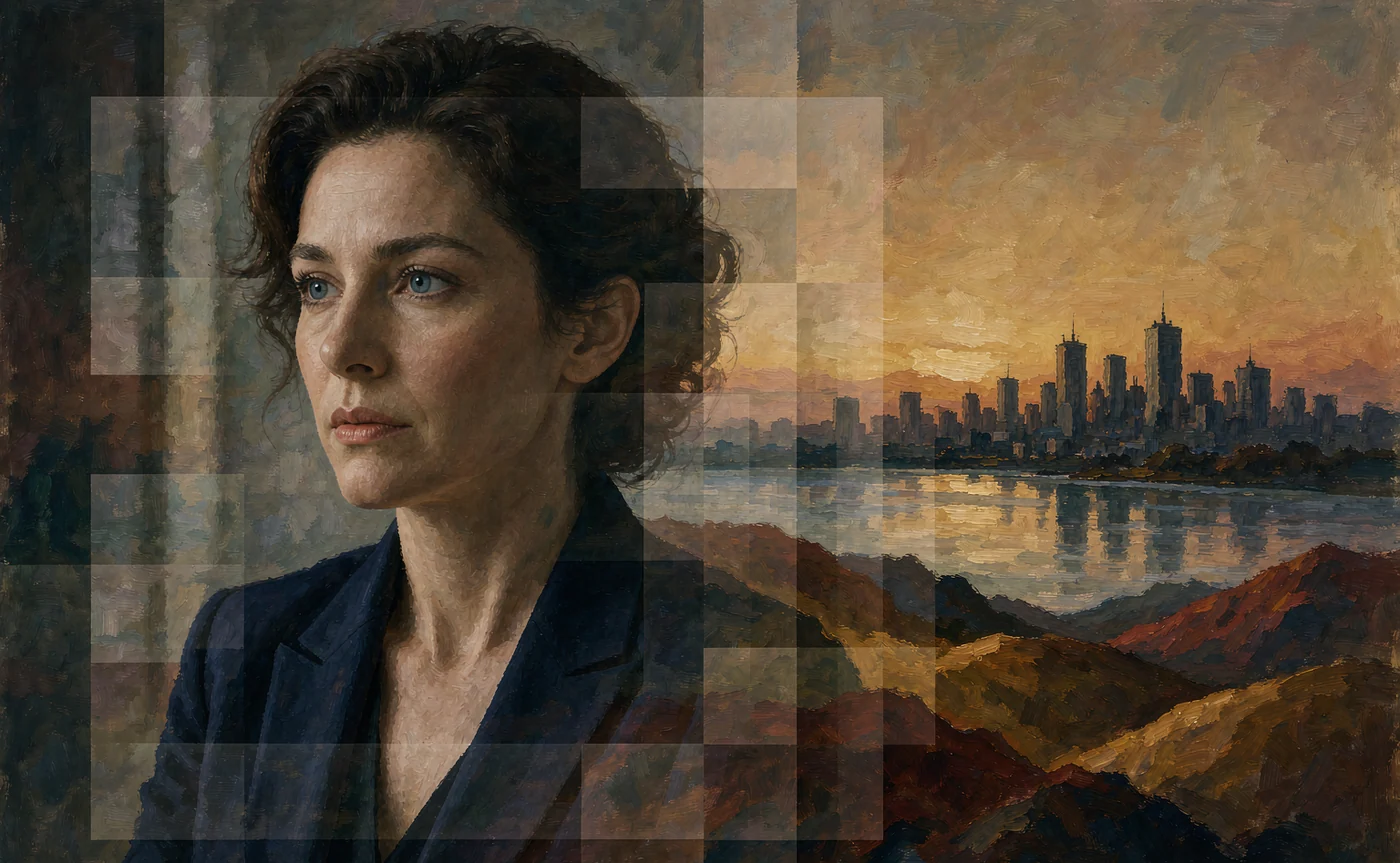
Blending two images with AI is not a 50/50 mix. The moment you average two images — half of each, pixel by pixel — you get mud: two subjects in the same place, two palettes fighting, two lighting directions cancelling out.
What actually works is assigning roles. One image becomes the structure (what is where), the other becomes the style (how it is rendered). When those roles are clear, the result looks intentional; when they are not, it looks like a broken undo.
What "blending" really means in a diffusion model
Two mechanisms are usually described as blending, and they behave differently.
Latent interpolation. Each image is encoded into a compressed mathematical representation — its latent. You can move partway between two latents and decode the result. This is what old-school "breeding" interfaces did: two parents, a slider, a child in between.
It is fast and it is genuinely continuous, which is why it feels like magic on portraits. It is also blunt: interpolation in latent space has no idea which parts of the image are the subject and which are the background, so complex scenes smear.
Reference conditioning. The model keeps your image as a conditioning signal during generation and paints toward it rather than averaging with it. Two references can carry different jobs — one supplies composition, the other supplies palette and surface.
Modern tools mostly use the second, because it survives complexity. You are not melting two pictures together; you are describing a new picture and pointing at what it should resemble.
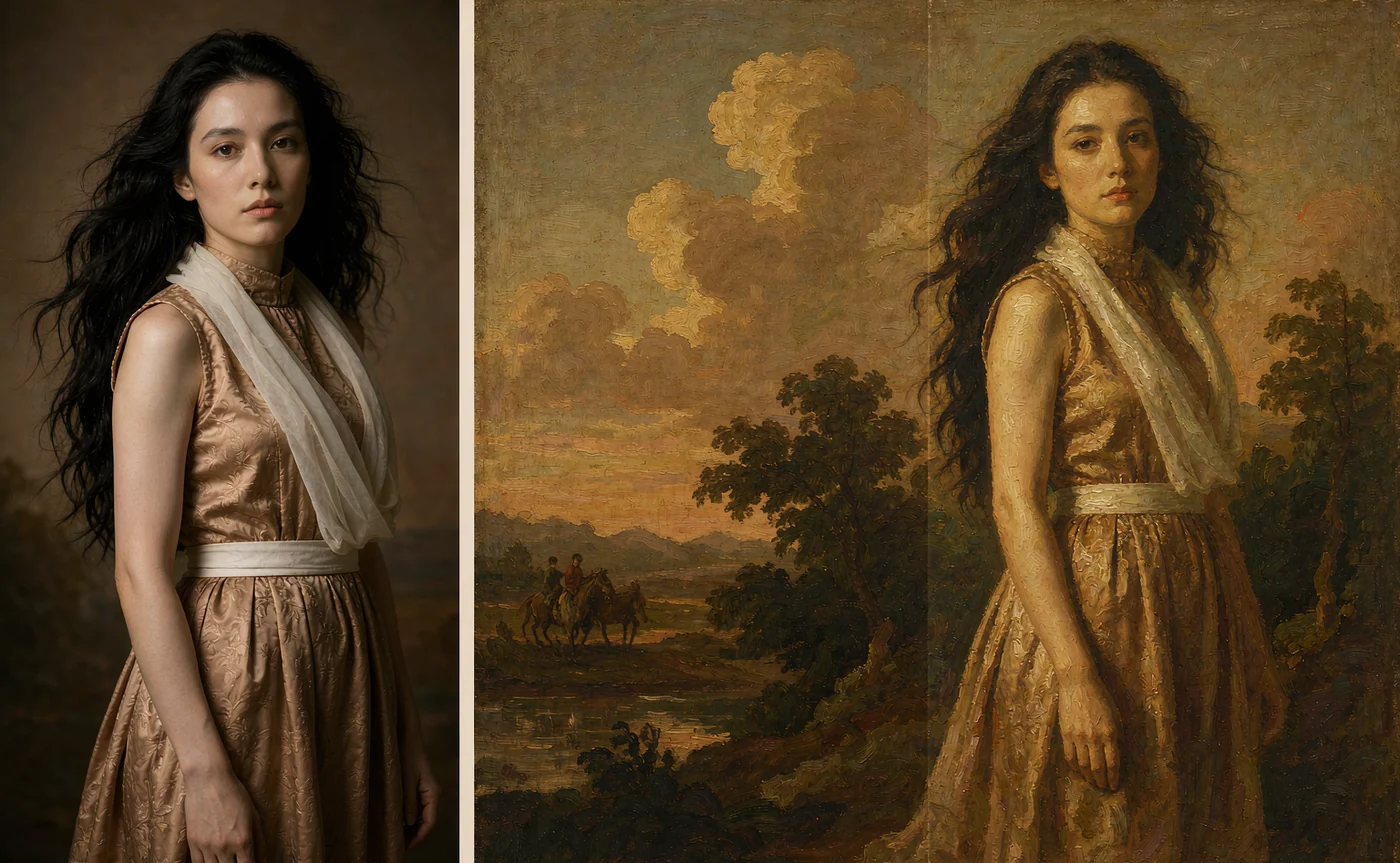
How to merge two art styles seamlessly
Four rules do most of the work.
1. Assign one role per reference
Decide before you upload: which image owns the geometry, and which owns the look?
- Structure reference: a photo of a person, a sketch, a floor plan. Anything where the composition must survive.
- Style reference: a painting whose palette and brushwork you want, even though its subject is irrelevant.
If you upload two images that both want to own composition, the model compromises and the result is muddy. That is the single most common cause of failed blends.
2. Describe the merge in words, not just with images
A reference is a strong hint, not an instruction. State the relationship explicitly:
"the subject from the first reference, rendered in the palette and brushwork of a Dutch golden-age oil painting, dark background, single window light"
The phrase that matters is "rendered in". It tells the model that one thing is content and the other is treatment.
3. Keep the palette to one source
Mixing two palettes produces the muddy middle: neither warm nor cool, neither saturated nor neutral. Pick the palette from one reference and describe it, rather than hoping two images will negotiate.
If you need a third colour, introduce it as an accent in words: "a single vermilion scarf as the only saturated element".
4. Change one axis at a time
A blend has three axes: composition, style, and subject identity. Move one per iteration. If you change the style reference and the pose reference together, a bad result tells you nothing about which one caused it.
Practical applications that pay for themselves
Concept art. Photograph a maquette or sketch a rough shape, then blend it with a moodboard painting. You keep your composition and borrow an art direction you could not paint yet.
Character remixes. Take a stable character reference and blend it with a fashion editorial or a historical portrait. The face holds, the wardrobe and grade change — the workflow behind most "same person, different century" fan art.
Fantasy landscapes. A real photograph supplies believable geography (a real ridge, a real river bend) while a painting supplies the light. Invented landscapes tend to have implausible scale; blended ones do not.
Product and packaging mockups. Real product photo plus a stylistic reference for the campaign look. Useful when a client wants a consistent visual language across photos shot at different times.
Style transfer across a series. One painting as a permanent style reference, many different structural references. This is how you get twelve images that look like one artist made them in one week.
💡 Want to try this yourself?
Upload two images — one for structure, one for style — and describe the merge. Three images a day are free, no account needed.
Blend two images now →Step-by-step: blending two images
Step 1 — Prepare both files at similar size
Both references should be roughly the same resolution and aspect ratio. A 400px reference next to a 4K reference biases the model toward the sharper one, so a low-quality style reference will drag detail down.
Step 2 — Upload in the right order
Open image to image and add the structural reference first, then the style reference. Order is not a guarantee, but it helps the model treat the first image as the subject.
Free accounts can use up to four references; paid tiers go to fourteen. Two is usually enough for a blend — more references start competing.
Step 3 — Write the merge prompt
Template:
"[subject from the structural reference], [pose or framing], rendered as [medium from the style reference], [light direction], [palette constraint], [background policy]"
A filled example:
"the woman from the first image, seated three-quarter view, rendered as a 19th-century oil portrait, single window light from the left, warm earth palette with one cool accent, plain dark background"
Note what is absent: no description of her face. If you are blending a specific person's likeness, the reference carries it and words will only blur it.
Step 4 — Render, then adjust one role
If the composition drifted, strengthen the structural reference. If the style did not take, strengthen the style description — not the style image weight, which usually just imports its composition as well.
Step 5 — Fix at the edges, not the centre
Blends usually fail in the background and at the frame edges, where the model has the least reference information. If the centre looks right and the corners look confused, describe the background explicitly instead of re-rolling.
Failure modes and what they mean
| Symptom | Cause | Fix |
|---|---|---|
| Two subjects in one frame | Both references treated as content | State that one is a medium ("rendered as…"), or drop to one image reference |
| Flat, desaturated result | Two palettes averaged | Pick one palette source; constrain the other in words |
| Composition follows the wrong image | Style reference is visually stronger | Match resolutions; put the structural reference first; simplify the style reference to a texture |
| Style transfers but the subject changes | Prompt describes the subject in detail | Remove facial description; rely on the reference |
| Everything looks like a filter | Style described with adjectives only | Describe materials and brush behaviour: "impasto", "wet-on-wet", "graphite hatching" |
| Grain or artefacts | Style reference has JPEG compression | Re-export the reference cleanly before uploading |
A note on "breeding" two characters
The most requested blend is also the hardest: two characters in one image, holding both identities. It is possible with two character references, and it fails more often than it works.
The pragmatic route is sequential. Render each character alone with their own reference set, then blend the two finished images as a composition — or composite them in an editor and run a light image-to-image pass to unify the light. That is faster than rerolling a two-identity render twenty times, and the result is more controlled.
For the reference-side details, the FLUX character consistency guide covers how identity is carried and where it breaks in multi-subject frames.
FAQ
Can I blend more than two images? Yes — paid tiers accept up to fourteen references — but every extra reference competes for influence. Two or three with clear roles outperforms six with unclear ones.
Does blending preserve the original faces? Only when the face is large enough in frame and the structural reference is dominant. Blends inherently average, so likeness weakens as you add style pressure.
What is the difference between blending and style transfer? Style transfer usually means texture-only transfer from a reference. Blending implies both images contribute — structure from one, treatment from the other. In practice the workflow is the same; the difference is what you ask the prompt to preserve.
Can I blend a photo with an illustration? That is the most reliable blend type: photo for structure, illustration for style. The reverse — illustration structure, photo style — tends to look uncanny because photographic detail applied to cartoon proportions exposes the mismatch.
Why does the result look washed out? Two palettes were averaged, or the prompt omitted a grade. Constrain the palette in words and name a light direction.
Is blending free? The workflow is available on the free tier with up to four references and three images a day. Higher reference counts and 2K/4K output require an account.
Blend with roles, not averages
Two images, two jobs. Structure from one, style from the other, stated in words so the model does not have to guess which is which. That single discipline fixes most muddy blends before they happen.
Start in image to image with a photo you shot and a painting you admire, and write the sentence that assigns their roles. If you would rather convert a single photo into a painted medium first, the photo to watercolour guide is the gentler starting point.
Keep reading
Oct 28, 2026
How to Keep Character Consistency in FLUX.1: The Complete Guide
Faces drift because a seed is not an identity. Every method that actually locks a face in FLUX — PuLID, InstantID, FaceID, LoRA — and the reference workflow that needs no node graph.
Read guide
Oct 24, 2026
How to Turn Any Photo into a Masterpiece Watercolor Painting with AI
Why AI style filters produce mud and structure-aware rendering does not — plus the three-step workflow and prompt recipes for watercolor, oil, sketch and 3D render.
Read guide
Oct 23, 2026
From Pencil Sketch to High-Res AI Art: A Beginner's Tutorial
AI can finish a rough sketch — if the lines are readable. How Canny and lineart conditioning work, how to prep a scan, and the prompt hacks that stop colour from ignoring your drawing.
Read guide