The Ultimate AI OC Maker Guide: Design Original Anime Characters in Seconds
Design an original anime character without drawing skills — concept, prompt recipe, five worked examples with settings, and how to keep the same face across outfits and angles.
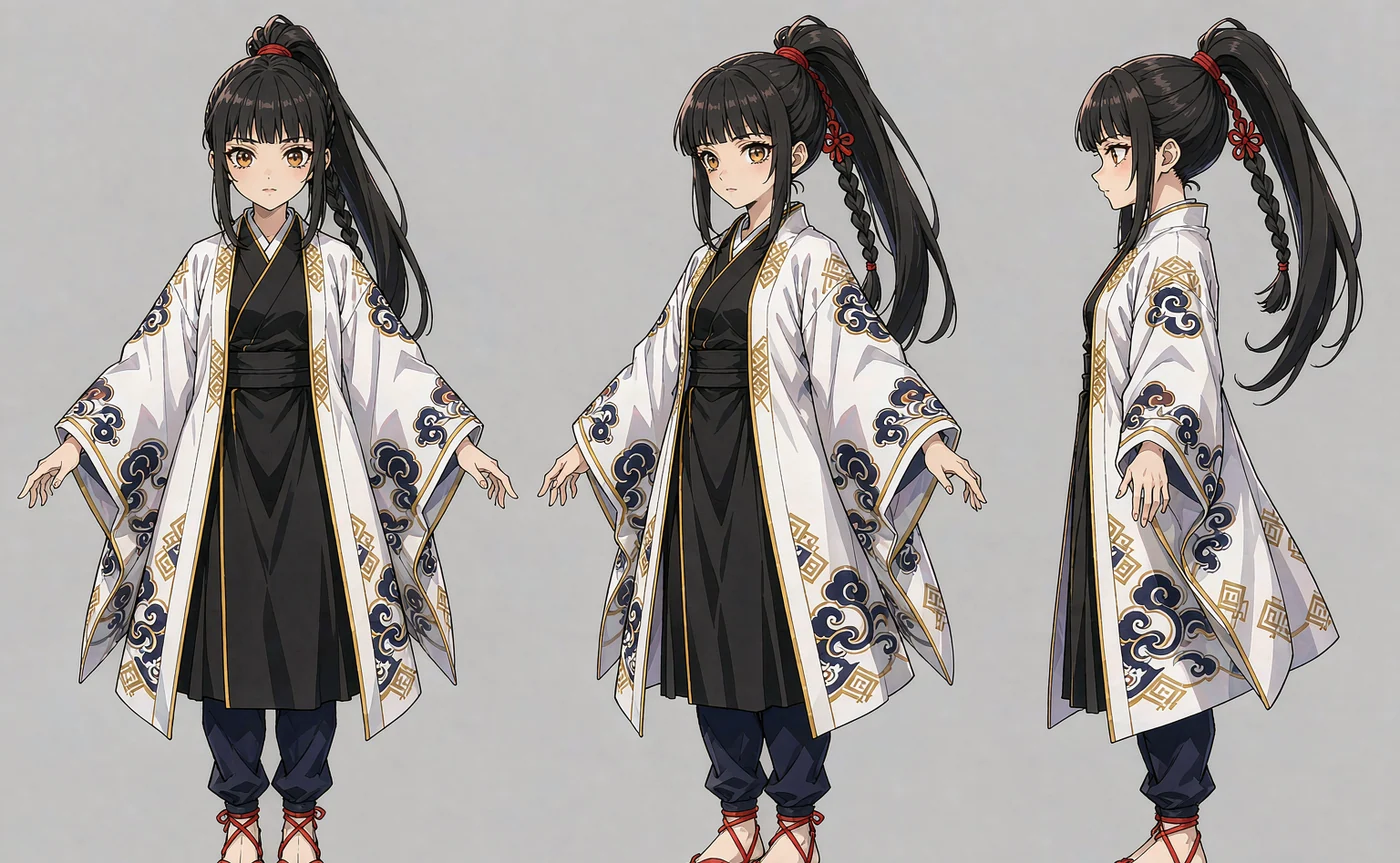
Most AI anime characters fail for a design reason, not a rendering reason: they have no hook. A pretty face in a school uniform is a placeholder, not an OC — and you can feel the difference instantly when the image appears.
This guide is about designing the hook first and letting the model render it, then keeping that character recognisable while you change the outfit, the angle and the world around them.
What actually makes an original character work
Before prompting anything, answer three questions. They take two minutes and save twenty generations.
What is the silhouette? At thumbnail size, an OC is a shape. A high ponytail and a long coat read differently from a bob and a hoodie. Pick one dominant shape and let it repeat across every image.
What is the one contradiction? Characters stick when two traits should not coexist: a shrine maiden with a mechanical arm, a delinquent who knits, an idol who never blinks. The contradiction is what makes people ask who this is.
What is the palette? Two colours plus a neutral. Not five. Consistency across images is mostly palette consistency, and a tight palette is the cheapest way to make a cast look designed rather than generated.
Write those three answers down. Everything below assumes you have them.
How to render an anime OC without drawing skills
You do not need line art. You need a reference image and a prompt that describes the scene rather than the face.
Step 1 — Generate a face test
Start in text to image with a portrait-scale frame and a plain background. The goal is not a finished illustration; it is a face you can commit to.
A working prompt structure: "anime portrait, [age] [gender], [hair shape and colour], [one distinctive feature], [expression], plain light background, clean cel shading, upper body".
Generate eight to twelve. At this stage you are casting, not polishing.
Step 2 — Fix the face into a reference set
Take the winner into the AI Character Portrait Generator and render two more angles: three-quarter and profile. Keep the plain background and the same style words.
This trio is now the character. Everything else — costumes, scenes, action shots — gets generated from it.
Step 3 — Change the outfit, not the face
Anime OCs live and die on costume changes, and costume changes are where identity usually collapses. Two rules prevent it:
- Never re-describe the face. No "blue eyes, silver hair" in costume prompts. The references carry it, and repeating it re-rolls the features.
- Do describe the garment precisely. "Black sailor uniform with a red neckerchief, knee-length pleated skirt" gives the model a target; "school outfit" gives it a lottery.
If a specific costume matters — a cosplay, a canon outfit — upload one reference wearing it. One image of the costume is worth three paragraphs of description.
Step 4 — Lock the medium words
Anime output drifts between "soft painterly" and "flat cel" depending on the prompt, and mixed styles make a cast look assembled from different artists. Pick your medium and repeat it every single time: "clean cel shading", "90s anime cel", "soft painterly anime", "flat vector anime".
💡 Want to try this yourself?
Cast your OC, then render three expressions from one reference set. Three images a day are free and no account is required.
Design your anime OC →Five worked examples, with prompts and settings
Each example below assumes the reference set is already loaded. Only the scene line changes between renders — that is the point.
1. The reluctant shrine keeper
Hook: traditional clothing, mechanical prosthetic hand. Palette: vermilion, bone white, charcoal.
"the same character in a white haori with vermilion trim, kneeling on stone steps at dusk, paper lanterns, a brass mechanical left hand resting on her knee, clean cel shading, three-quarter view"
Settings: portrait 3:4, Identity tier if the hand detail matters, Standard for drafts.
2. The delinquent who bakes
Hook: bleached hair, pristine apron. Palette: cream, mint, black.
"the same character in a flour-dusted cream apron over a black school jacket, holding a tray of cream puffs, small bakery kitchen, warm morning light through a window, soft painterly anime"
Settings: 1:1 square — this is a character-sheet pose, and the square frame keeps the face large.
3. The idol who never blinks
Hook: unbroken eye contact, stage lighting. Palette: violet, silver, white.
"the same character in a silver stage costume, mid-performance, violet spotlights from behind, arms raised, sweat highlights, dramatic backlight, anime promotional art"
Settings: 3:4. Backlight is the trick here — it separates the silhouette from a busy stage.
4. The courier of a flooded city
Hook: waders, a satchel of letters, permanent rain. Palette: teal, rust, grey.
"the same character in knee-high waders and a patched raincoat, standing on a rooftop above flooded streets, heavy rain, letters spilling from a satchel, muted teal grade, cinematic anime"
Settings: 16:9 if this is a key visual; 3:4 if it is a character intro.
5. The quiet mecha pilot
Hook: oversized flight suit, tired eyes. Palette: olive, amber, gunmetal.
"the same character in an oversized olive flight suit, sitting on a cockpit ladder, hangar at night, amber warning lights, helmet under one arm, 90s anime cel style"
Settings: 4:3. Period style words ("90s anime cel") hold the grade better than any adjective about mood.
Changing costume and angle without losing the face
This is the operational core of OC work, so it is worth stating as a checklist.
- Keep the reference set fixed. Three images, same character, same light. Do not add casual photos mid-project without checking that the new image matches the others.
- Change one variable per render. Costume, or camera angle, or lighting. Two at once and you cannot tell which one caused the drift.
- Reuse the medium words verbatim. Copy-paste them; do not paraphrase.
- Keep the head large in frame for anything where likeness matters. Anime faces are stylised, so detail per pixel matters even more than in photoreal work.
- Render the neutral expression first. Smiling and crying both reshape the eyes, and stylised eyes carry most of an anime character's identity.
A practical trick for character sheets: render the same pose in three costumes with identical framing, then lay them side by side. If the face reads as one person across all three, the reference set is solid and you can move to dynamic poses.
Where anime OCs usually go wrong
| Problem | Cause | Fix |
|---|---|---|
| Every generation looks like a different character | Only one reference, no angles | Render three-quarter and profile into the set first |
| Same-face syndrome | Loose prompts, generic features | Give the character a silhouette and a contradiction; specify hair shape, not just colour |
| Style jumps between images | Medium words omitted or varied | Pin "clean cel shading" (or your chosen medium) in every prompt |
| Costume reverts to default | Costume described vaguely | Upload a costume reference or name the garment precisely |
| Face too small to read | Wide framing | Use portrait framing for identity shots; wide only for key visuals |
Using your OC outside the tool
Once a character is stable, the same reference set carries into cover art, thumbnails, VTuber concept sheets and TTRPG portraits. Keep the set in a folder named after the character, keep the prompt recipe in a text file next to it, and archive rather than overwrite when the design evolves.
If your OC appears in a commercial product, confirm the licence that applies to generated images in your plan, and keep the reference images documented — particularly if a real person's face is involved.
FAQ
Can I make an anime OC with AI without any drawing skill? Yes. Design decisions — silhouette, contradiction, palette — do the creative work, and the model handles rendering. What you cannot skip is the reference set; without it, every image is a new character.
Do anime characters need different settings than realistic ones? Two differences matter: keep the head large in frame, because stylised eyes carry identity; and pin the medium words, because anime output drifts between flat cel and soft painterly more readily than photoreal output drifts between grades.
How many references does an anime OC need? Three angles of the same design is enough. For a drawn OC, use several views of one design rather than several interpretations of it.
Can I change the outfit without losing the face? Yes, if you stop describing the face and describe the garment precisely. Adding one reference that wears the target outfit makes it near-perfect.
Will my OC look like an existing anime character? Only if you prompt for one. Naming a series or an artist's style is both a legal risk and the fastest way to get a derivative result. Describe physical traits and lighting instead.
What resolution should I use? 2K for anything screen-based, 4K if the image will be printed, cropped into a face, or used as a large key visual.
Conclusion
An OC is a design decision set, not a rendering technique. Decide the silhouette, the contradiction and the palette; render three angles once; then change the world around a fixed face.
Start on the AI Character Portrait Generator, and if you want the prompt-side details for keeping a stylised face stable across dozens of images, the FLUX character consistency guide goes deeper on reference selection and drift.
Keep reading
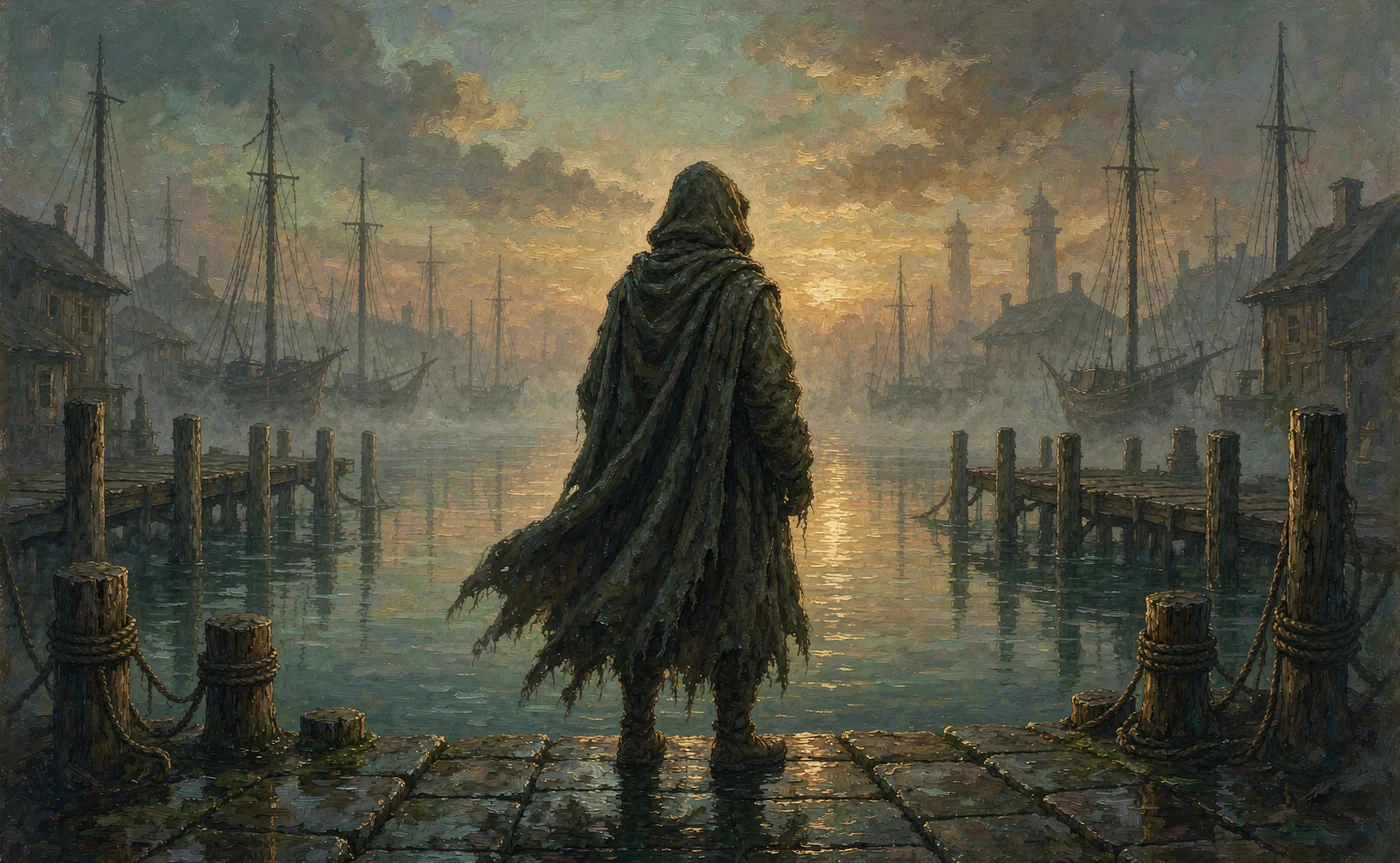
Oct 27, 2026
How Novelists Create Consistent Characters for Book Covers with AI
A recurring face sells a series. Here is the exact reference-and-prompt workflow novelists use to keep the same character on every cover, ad and chapter illustration.
Read guide
Oct 22, 2026
How to Use a Free AI Image Generator Online Without Creating an Account
Most free AI image tools ask for an email before you see a pixel. Here is what anonymous generation actually gives you, what it does not, and when signing up is worth it.
Read guide
Oct 29, 2026
7 Best Artbreeder Alternatives for AI Character Design in 2026
Artbreeder's gene sliders are still fun, but they can't hold a character across scenes. Seven alternatives compared on face consistency, speed and price.
Read guide